Home Automation for Safety and Convenience at Home
Which smart home features help an older adult at home, starting with night lighting from bed to bathroom, what research has measured, what to avoid, and the privacy questions to ask first.
Key Insight
What helps, by need
| Need | What helps | What to check |
|---|---|---|
| Getting to the bathroom at night | Low lights along the route that come on with movement | They light the way back to bed too, and do not shine in the eyes |
| Turning lights on from bed | A lamp or switch within reach of the bed | It works by touch, in the dark |
| Stairs | A switch at the top and at the bottom, and even light on every step | No dark step, no glare |
| A leak or a cold house | Water sensors under sinks and beside the water heater; a temperature sensor | Who is told, and who goes to look |
| Answering the door | A video doorbell or intercom | It can be used from a chair |
| Reach or grip is limited | Voice control for lights, calls and timers | There is always a second way to do the same thing |
| Cooking | A stove shutoff timer or an auto-off kettle | It works with no app |
Start with night lighting
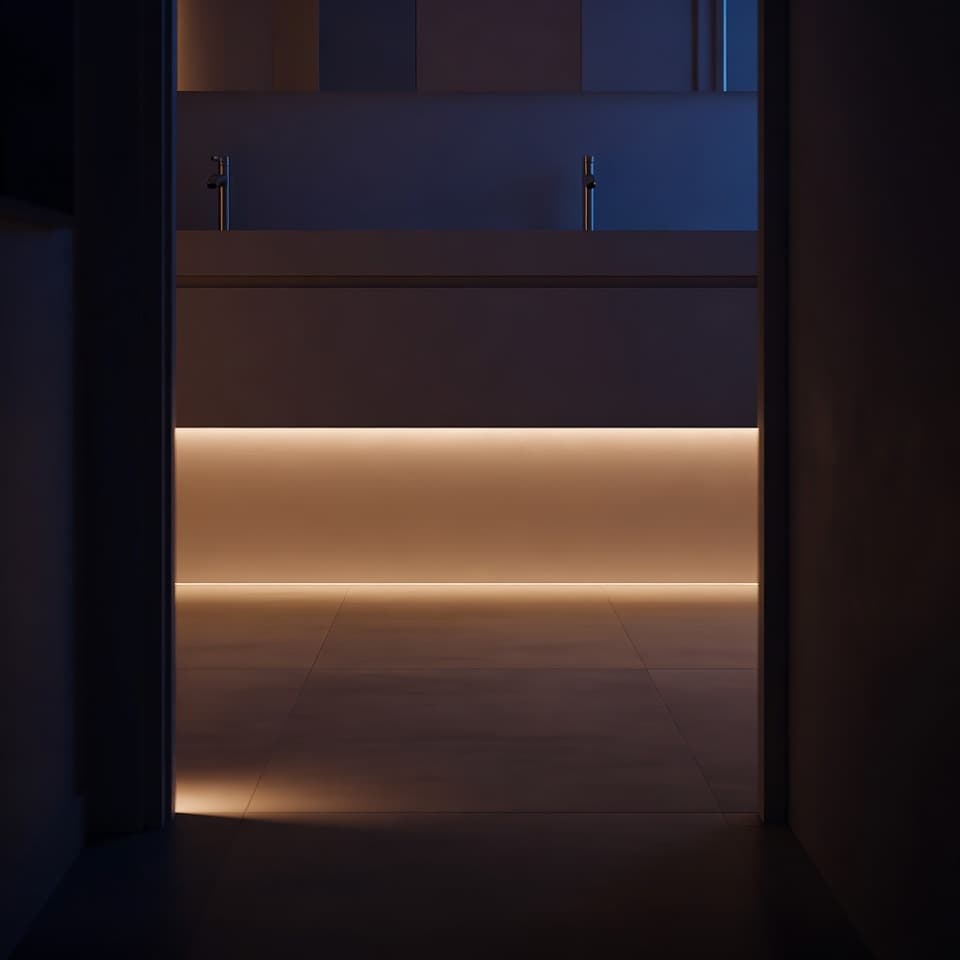
The most useful automation in most homes is light on the route from bed to bathroom.
The Public Health Agency of Canada's home safety guide recommends a light or switch within reach of the bed, a night light in the bathroom, a clear path between the two, well-lit stairs with switches at the top and bottom, and easy rocker switches.
Research supports the idea, with limits:
- ✓In a laboratory study of 48 adults aged 65 and over, people stood up from a chair more quickly under ceiling light, and under low lighting that outlined the door frame, than with a plug-in night light alone.
- ✓In a study of 64 older adults who had guiding light strips installed at home, people reported less fear of falling and better sleep. There were too few falls during the study to measure a change in falls.
- ✓A sleep laboratory study found that balance is poorer just after waking in the night, and that brighter light alone did not correct it.
The practical conclusion: light the route so the way is clear to see, and give the hand something solid along it. Lighting works with a clear floor and a firm rail. It does not replace them.
What to look for in any device
- 1One job. It solves a problem someone in the house has today.
- 2It fails safe. If the internet or the power goes out, a light still works as a light and a door still opens from inside.
- 3No phone required. The person living there can use it without an app.
- 4More than one person can manage it. It does not depend on one family member's account.
- 5No surprise fees. Know what stops working if a subscription ends.
What to be careful about
- ✓Fall detection claims. Ask the maker what the device has been tested to detect, and under what conditions. Without a clear answer, treat it as a convenience.
- ✓Cameras. They are intrusive and rarely needed. They do not belong in a bedroom or bathroom.
- ✓Many devices, many apps. Three things that work beat twelve that need attention.
Privacy, and who decides
The person who lives in the home decides what goes into it. Before any device is installed, the Office of the Privacy Commissioner of Canada advises checking what personal information it collects, how that information is used and shared, and which controls the owner has.
Three questions cover most of it:
- 1What does this device record, and where does that go?
- 2Who can see it?
- 3Can the person living here pause it or turn it off without asking anyone?
Agreement is not a one-time step. It is worth asking again after a hospital stay, when health or memory changes, or when a new person is given access.
A sensible order
- 1Make the home safe to move around in: light, a rail the hand can close around, a grab bar where the hand goes, a clear floor.
- 2Add one device for one named problem and live with it for a month.
- 3Check what happens when it fails.
- 4Then consider the next.
How Still at Home uses technology
Still at Home, Ottawa's aging-in-place service provider, installs lighting, switches and home automation as a service of its own. It can be done by itself or alongside a renovation, and it starts with making the home safe to move around in.
Two services use sensing:
- ✓Still There is a pilot for a parent living alone. It uses passive sensors to recognize daily patterns such as waking, kitchen activity, movement between rooms and the front door, and it lets the family know when a pattern changes. Lighting responds to movement at night. There are no cameras, no wearables and no microphones.
- ✓Snowbird Home Watch places temperature, humidity and water sensors in a house that is empty for the winter, backed by in-person visits.
A free Home Safety Assessment is the place to start: a room-by-room visit and a written plan in priority order within 5 business days.
Sources
- 1Public Health Agency of Canada. The Safe Living Guide: A Guide to Home Safety for Seniors. https://www.canada.ca/en/public-health/services/publications/healthy-living/safe-living-guide-a-guide-home-safety-seniors.html
- 2Figueiro MG, Gras LZ, Rea MS, Plitnick B, Rea MS. Lighting for improving balance in older adults with and without risk for falls. Age and Ageing. 2012;41(3):392-395. https://doi.org/10.1093/ageing/afr166
- 3Thölking TW, Lamers ECT, Olde Rikkert MGM. A guiding nightlight decreases fear of falling and increases sleep quality of community-dwelling older people. Gerontology. 2020;66:295-303. https://doi.org/10.1159/000504883
- 4McBean AL, Najjar RP, Schuchard RA, et al. Standing balance and spatiotemporal aspects of gait are impaired upon nocturnal awakening in healthy late middle-aged and older adults. Journal of Clinical Sleep Medicine. 2016;12(11):1477-1486. https://doi.org/10.5664/jcsm.6270
- 5Office of the Privacy Commissioner of Canada. Smart devices and your privacy. https://www.priv.gc.ca/en/privacy-topics/technology/02_05_d_72_iot/
Not sure what you qualify for?
Still at Home’s Funding Specialist reviews every applicable grant program for your specific situation — at no cost.